How to Install and Set Up the Greencard Payments WooCommerce Plugin
Step 1: Generate Your Greencard API Keys
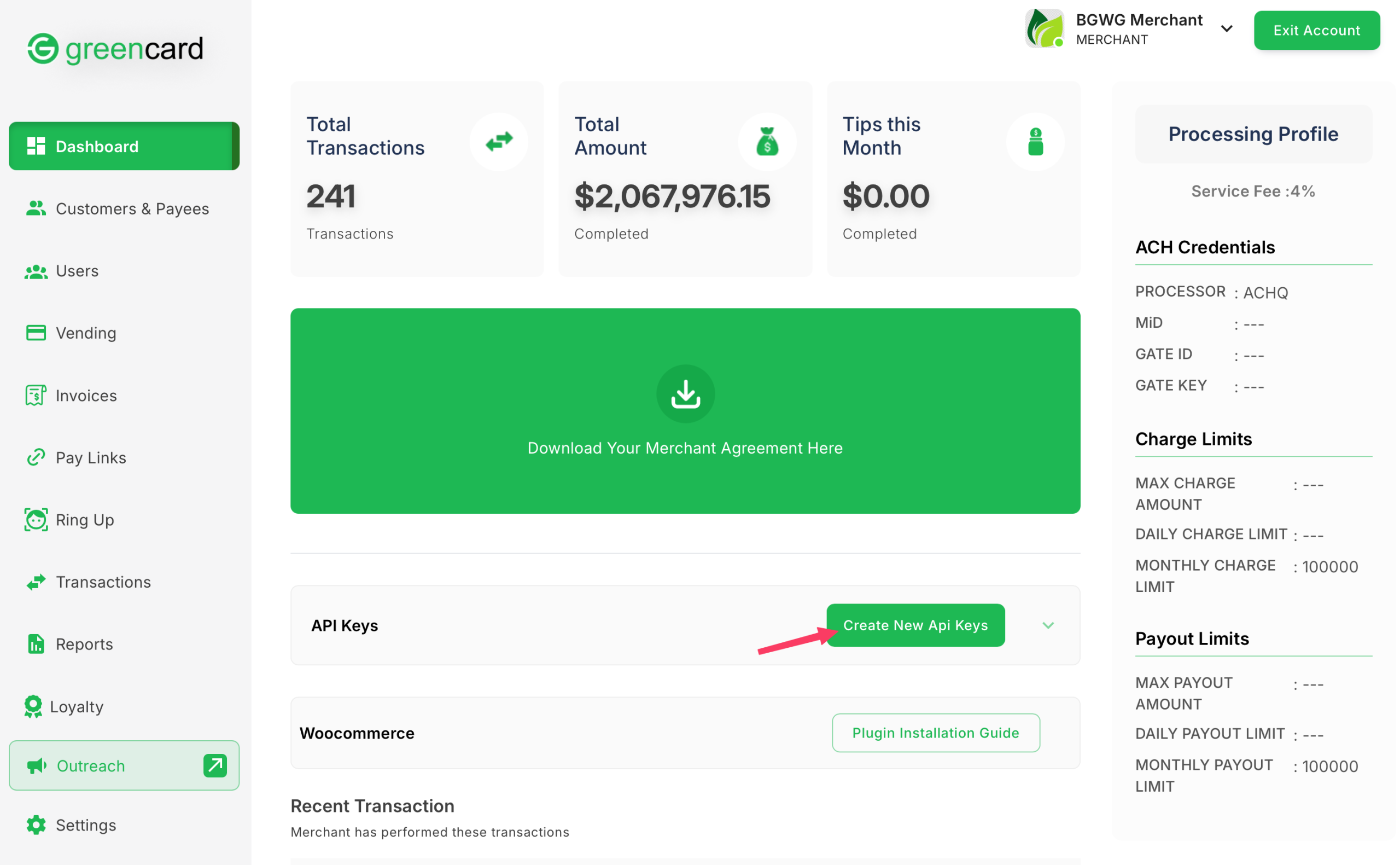
To connect your store to Greencard Payments, start by generating your API credentials.
Sign up for a Greencard Payments Merchant Account. (if you haven’t already).
Log in to your Greencard Merchant Dashboard.
Click “Create New API Keys” to generate your API Key and Secret Key.
Step 2: Install the Greencard Payments Plugin in WordPress
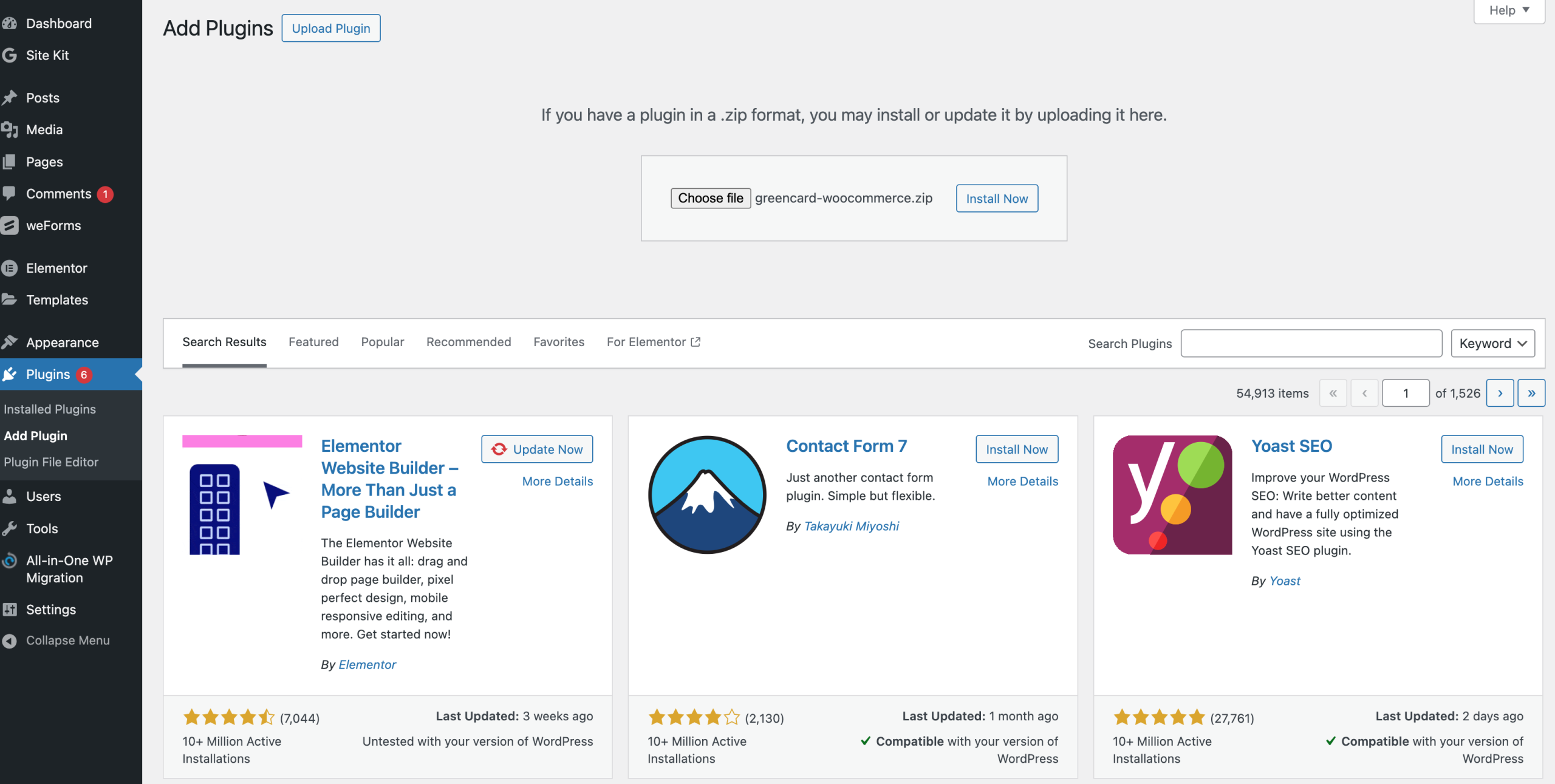
Download and install the Greencard Payments plugin in your WordPress admin.
Download the plugin here https://www.paygreencard.com/wp-content/uploads/2025/05/greencard-woocommerce.zip

Once installed, click Activate.
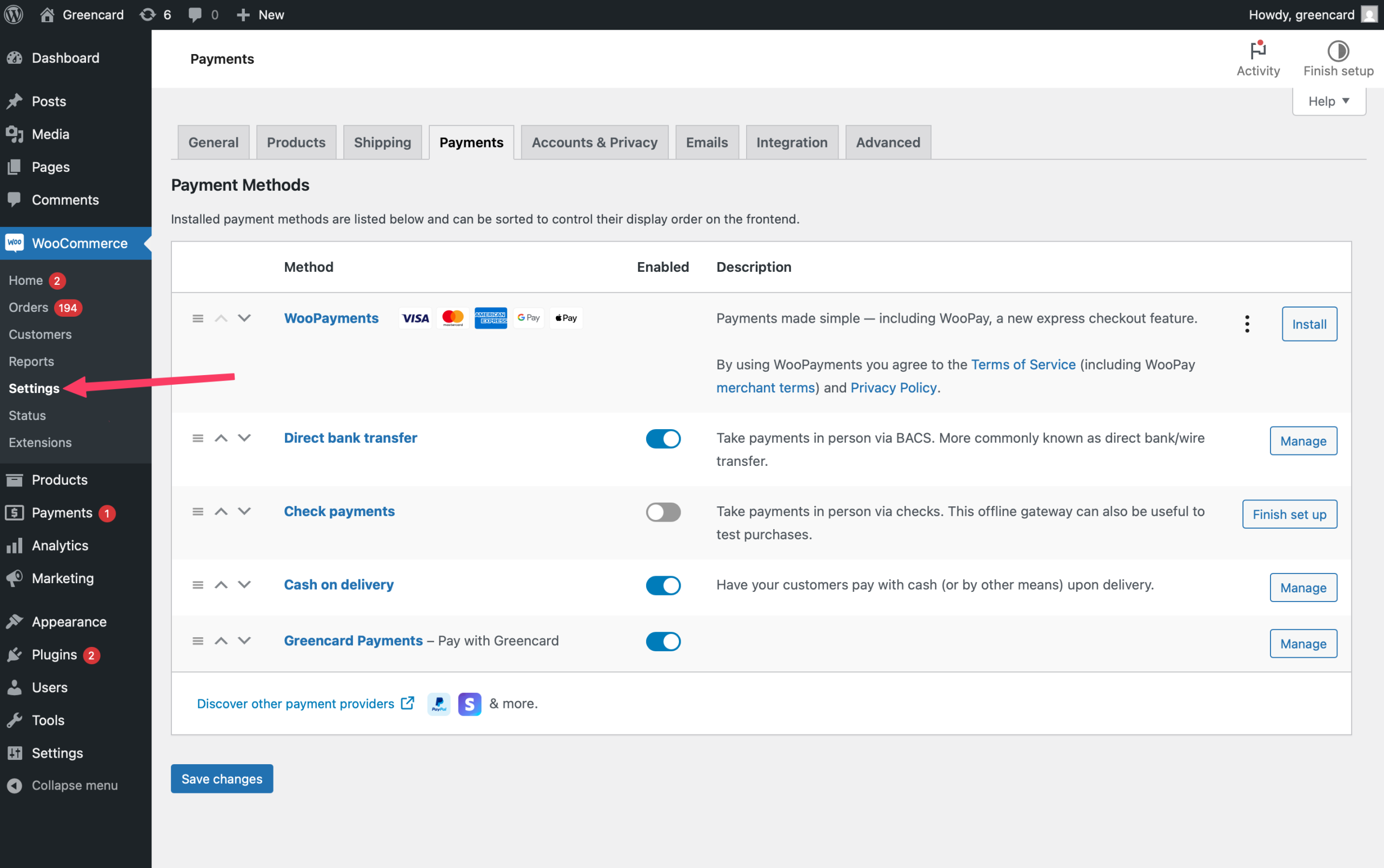
In the left sidebar, go to WooCommerce > Settings.
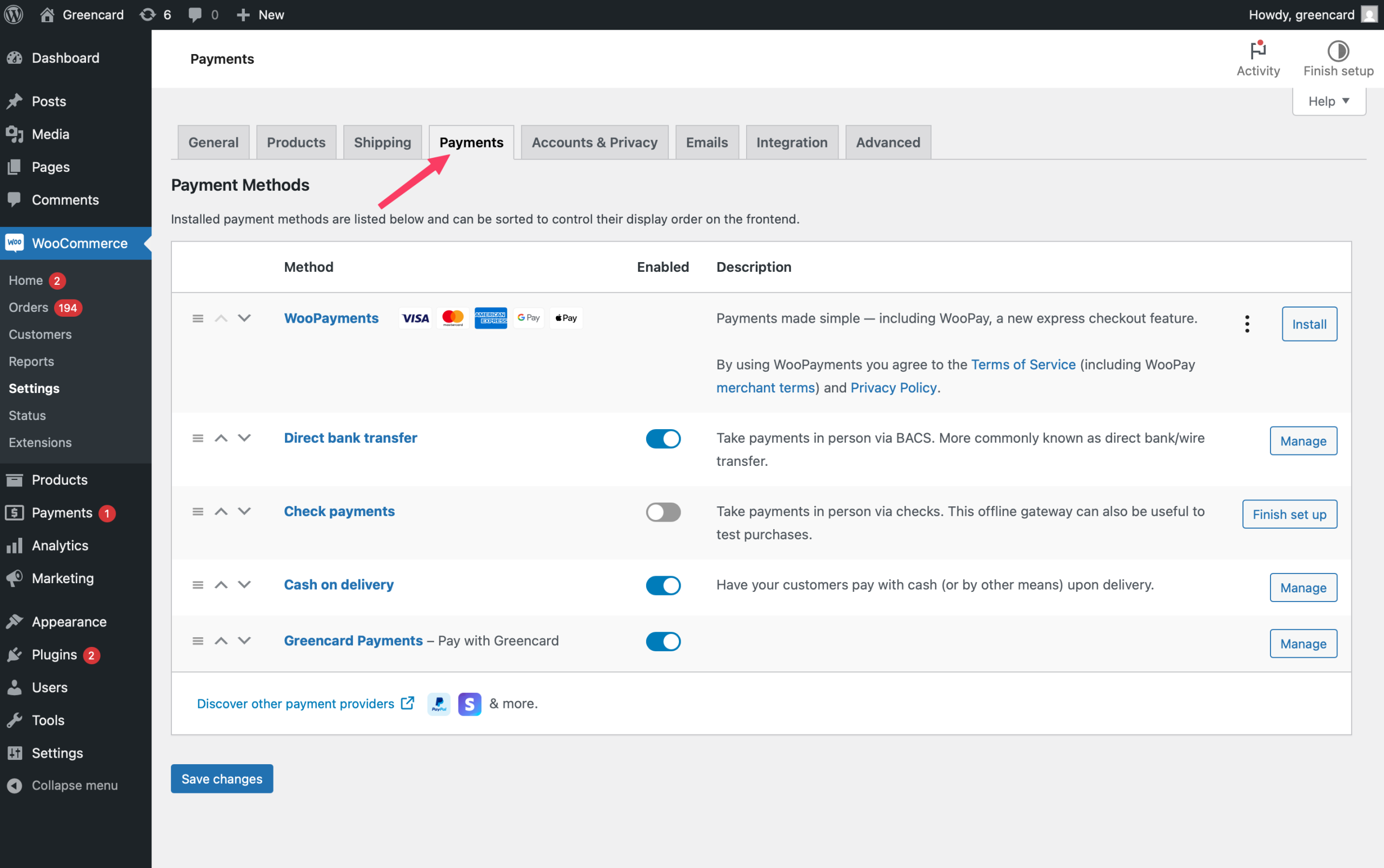
Click the Payments tab
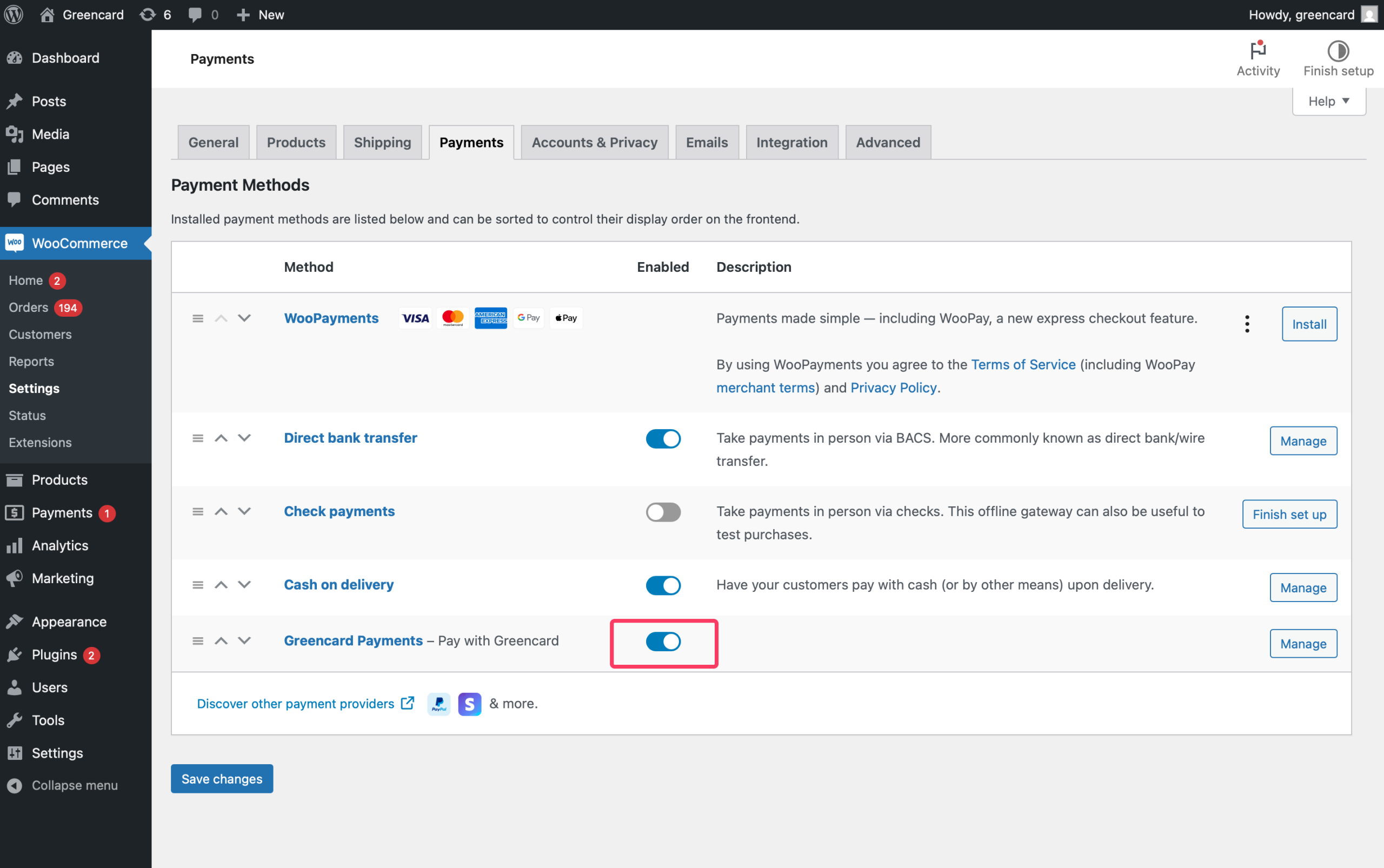
Find Greencard Payments and
toggle it to Enabled.
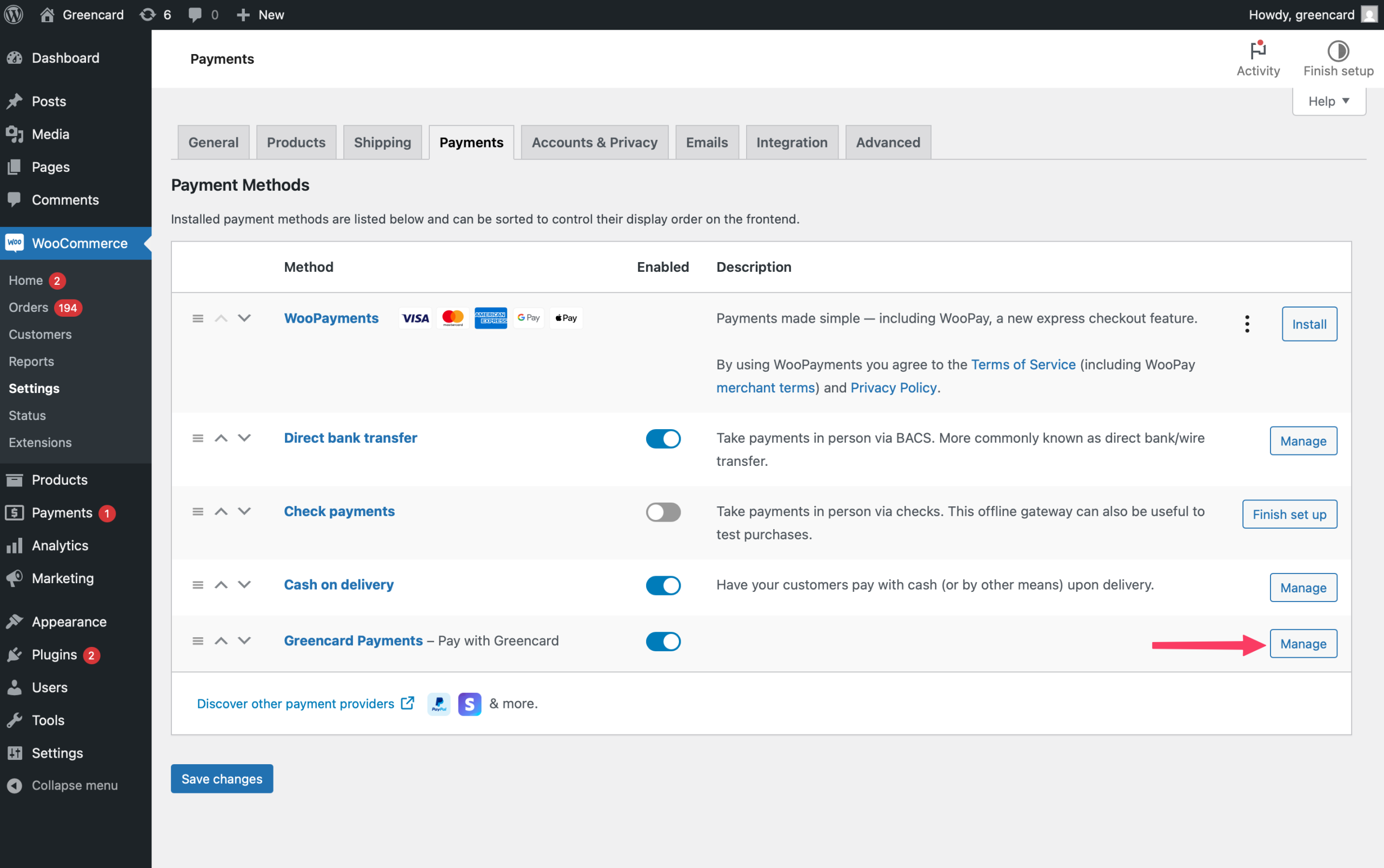
Click Manage next to the
Greencard Payments option.
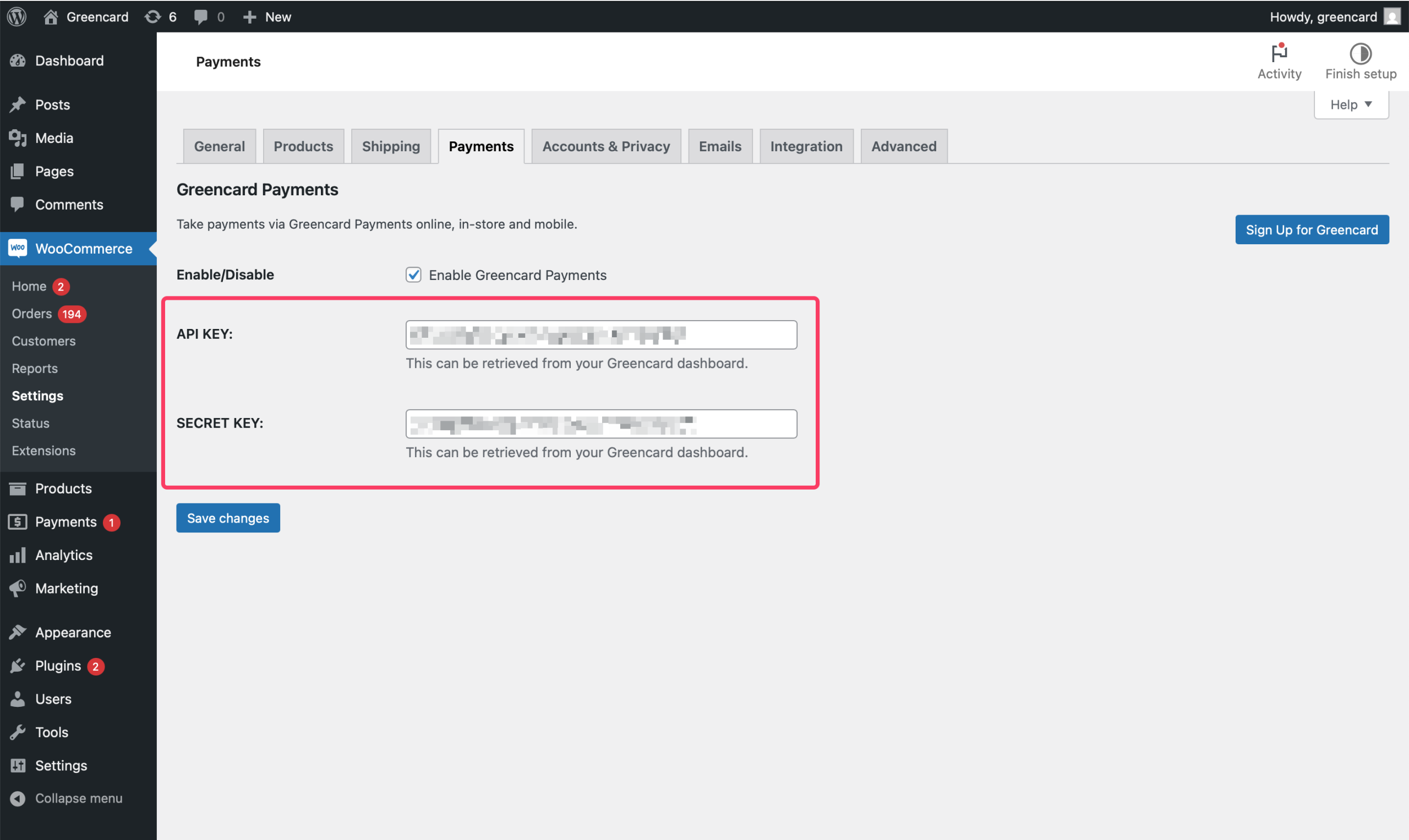
Enter your API Key and
Secret Key from Step 1.
Click Save Changes.
That’s it — you’re ready to accept compliant, fast, and secure payments through Greencard. Need help? Reach out to support@greencardpay.com.